

Written by
Zoe Bordiuk, Independent Payment Consultant
Honest, independent guidance for UK small businesses • Last updated: 21/07/2026
You have finished a job, or a customer wants to book in, and there is no card machine in your hand. A payment link solves that. It lets someone pay you by card from their phone, with nothing but a text or an email between you and the money. Plumbers use them to get paid before they leave the driveway. Salons use them to hold a slot with a deposit. Market traders use them when the card reader battery dies.
They are genuinely useful. They are also quietly more expensive than a tap on a machine, and easier for a customer to dispute later. Most guides skip that part because they are trying to sign you up to something. I am not. Here is how payment links actually work, when they fit, and the catch worth knowing before you lean on them.
👑 Key points at a glance
What is a payment link?
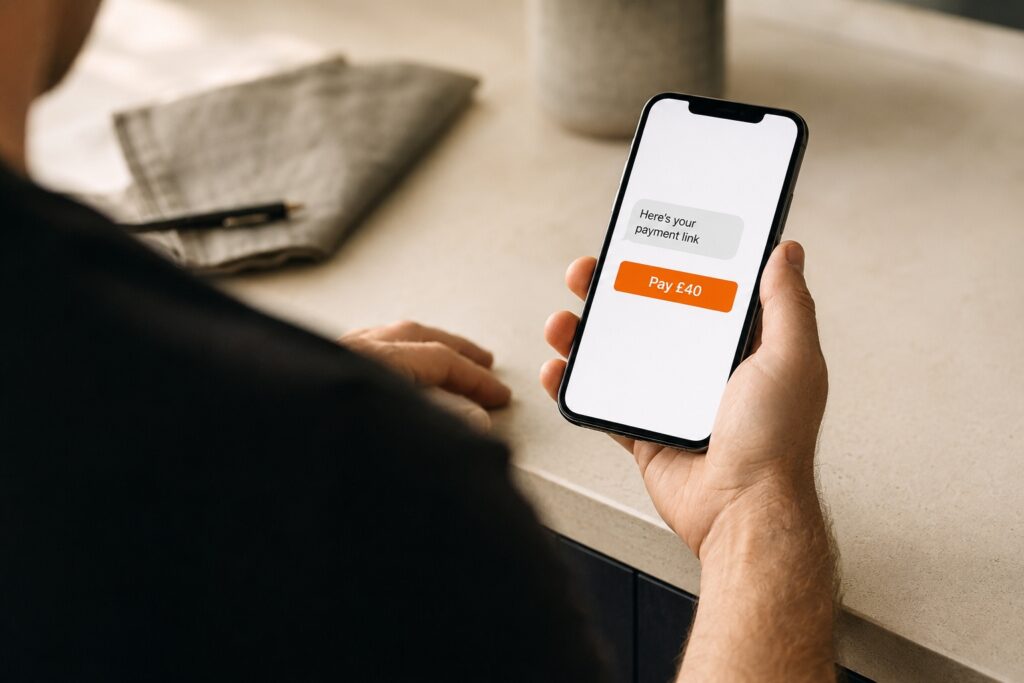
A payment link is a secure web link that opens a card payment page for one specific amount. You send it to a customer, they tap it, they enter their card details on a hosted page, and they pay. No card machine sits between you. No website is needed either, which is the part that surprises people. The link itself is the checkout.
You will also hear it called pay by link. Some providers wrap the same idea in a QR code, which is a payment link the customer scans instead of taps. The mechanics underneath are identical. A link travels wherever your customer already is, so you can drop it into a text, an email, a WhatsApp message or an invoice.
How do you send a payment link to a customer?
You create the link inside your payment app or account, set the amount and a short description, then send it however suits the customer. They pay on their own phone, and the money settles into your account like any other card payment, usually the next working day. The whole thing takes under a minute once you are set up.
The steps are simple. First, create the link and enter the amount with a clear description, for example “Deposit, colour appointment 14 March”. Second, send it by text, email, WhatsApp or on an invoice, meeting the customer where they already are. Third, they open the link and pay by card on a secure page, with no app to download. Fourth, the funds settle to your account, typically the next working day depending on your provider.
A clear description matters more than it looks. It is what the customer sees on their bank statement weeks later. A vague charge they do not recognise is one of the most common reasons a payment gets disputed, so name yourself and the job plainly.
When does a payment link actually make sense?
A link earns its place any time the customer is not standing in front of you with a card. That covers more situations than most owners realise, and it is where a link genuinely beats a machine rather than just copying it.
Deposits are the obvious one. You hold a booking with a card payment before the day, the customer pays from home, and you have secured the slot. Mobile and remote work is another: a tradesperson or mobile stylist can send a link and get paid without carrying hardware or relying on someone else’s WiFi. Phone orders work well too, since you take payment without keying the card in yourself, which keeps the card details off your hands entirely. And a link is the fastest way to chase an unpaid balance, because it turns settling an invoice into a single tap rather than a bank transfer.
If the customer is in the room with their card, a machine is faster and cheaper. If they are not, a link is the tool. Working out which of your payments fall into each bucket is exactly the kind of thing worth a two minute call, because it changes what setup actually suits you.
Why does a payment link cost more than a card machine?
A link is a card-not-present payment, and card-not-present payments carry a higher fee than the same customer tapping your machine. The reason is risk. When a card is physically present and dips into a terminal, the bank has strong proof the real cardholder was there. With a link, that proof is weaker, so the card schemes price in the extra fraud risk. You pay for that gap.
There is a striking example of how much card-not-present pricing can move. After the UK left the EU, Visa and Mastercard raised interchange fees on card-not-present payments between the UK and Europe from 0.2 percent to 1.15 percent for debit cards, and from 0.3 percent to 1.5 percent for credit cards, a fivefold jump. The Payment Systems Regulator reviewed it, concluded the increases were not justified, and estimated they cost UK businesses up to 200 million pounds a year (Payment Systems Regulator, final report, December 2024). That case is specifically about UK to Europe transactions, not every link you send, but it shows how the card-not-present label alone can reshape a fee.
The practical takeaway is simpler. For everyday domestic payments the difference between a link and a tap is usually small, but it is real, and it adds up if you push a lot of volume through links. Whether it is worth it depends on your own card mix, which is one of the first things I check when I read a client’s statement.
Are payment links safe, and can a customer dispute one?
Payment links are safe to use, and the payment page itself is secure. The real question is what happens if a customer later disputes the charge. Because there was no chip and PIN, a link payment is easier to challenge than an in-person one, and this is the part the sign-up guides skip.
Two things work in your favour. First, most links now use a step called 3D Secure, where the customer confirms the payment in their own banking app. When that step succeeds, liability for a genuine fraud dispute shifts from you to the customer’s bank. That protection is worth having, and it happens automatically on modern providers. Second, a clear statement descriptor and a record of what the payment was for both help you defend a charge.
Here is the catch worth knowing. That 3D Secure protection covers fraud, meaning a card genuinely used without permission. It does not cover a customer who paid, received the service, then claims they did not authorise it or were not happy. That kind of dispute, sometimes called friendly fraud, still lands on you, and a link gives you less physical proof to fight it than a machine does. It is not a reason to avoid links. It is a reason to keep good records and to know which payments belong on a link versus a terminal.
Do you even need a card machine if you have payment links?
For most businesses, no, a link does not replace a machine. It supplements one. If customers stand in front of you with a card, a machine is faster at the counter, cheaper per sale, and gives you stronger proof if a payment is ever queried. A link fills the gaps a machine cannot reach.
There are exceptions. A purely mobile trade with no counter, or someone taking a handful of deposits a month, might run on links alone and skip the hardware. The honest answer depends on how you actually get paid, not on which tool a provider wants to sell you. If you want to know more about what your payments really cost you, my guide to how card machine fees work is a good place to start.
👑 Not sure if you need links, a machine, or both?
I will look at how you actually get paid and tell you straight what fits, what each option really costs, and where a payment link would save you hassle or quietly cost you more. I work across multiple providers, so the answer is about your business, not about steering you anywhere. No cost, no obligation, no sales pitch.